
💡
Push notifications don’t work if Prohood app (PWA) was downloaded from Google Play and Samsung Internet is set as the default browser.
If you really want to keep Samsung Internet the default browser and still receive notifications, you need to install Prohood app directly from a browser interface, not from Google Play. First, uninstall the Prohood app downloaded from Google Play. Then see how to install prohood.org as a mobile app from a browser interface.
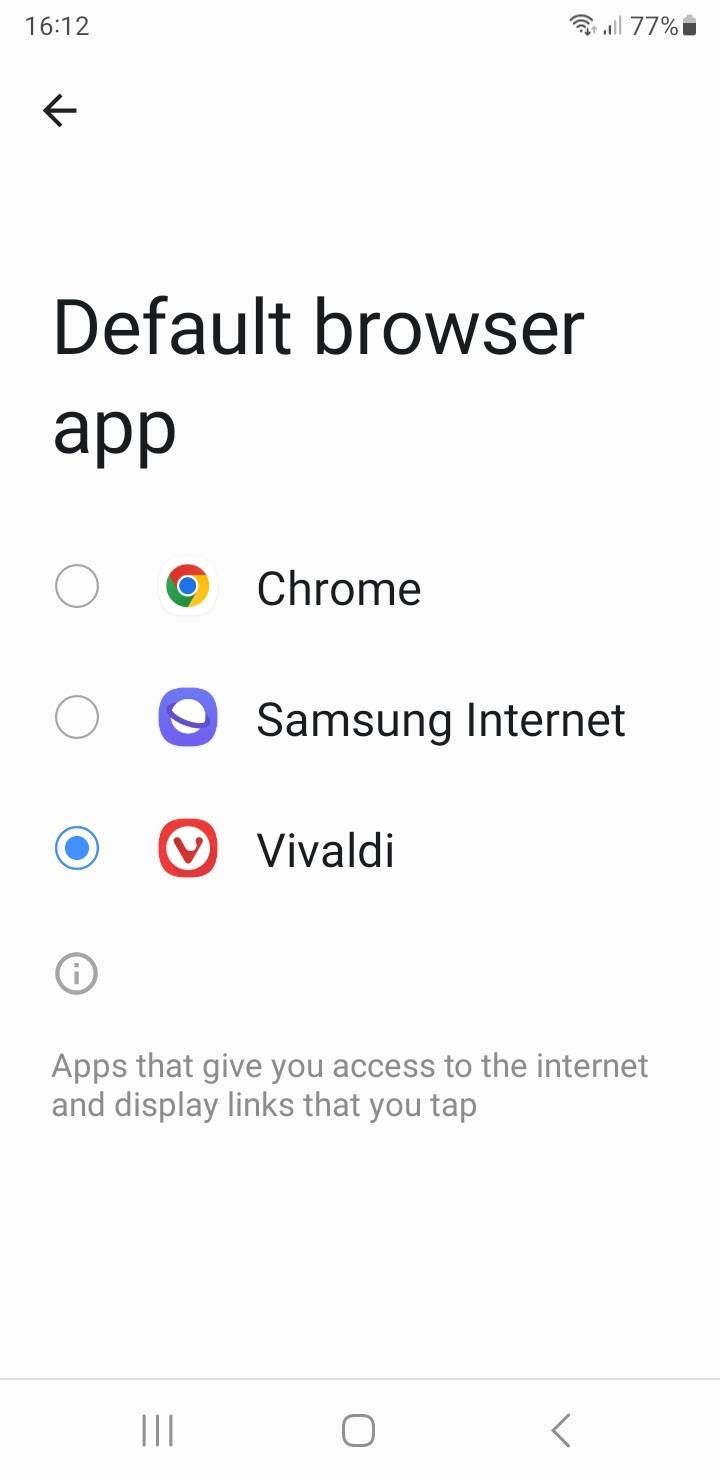
If you don't mind changing your default browser from "Samsung Internet" to something else, change, it'll make notifications work again (no need for re-installation). Here's an example of the screen you need to find: